Custom
Apps, tools, websites and graphic design, made for a work, a venue or a team, when what is needed does not exist.
Each one is born of a precise need, on a stage, in an exhibition, for an application file. Some remain tied to their project; others become apps.
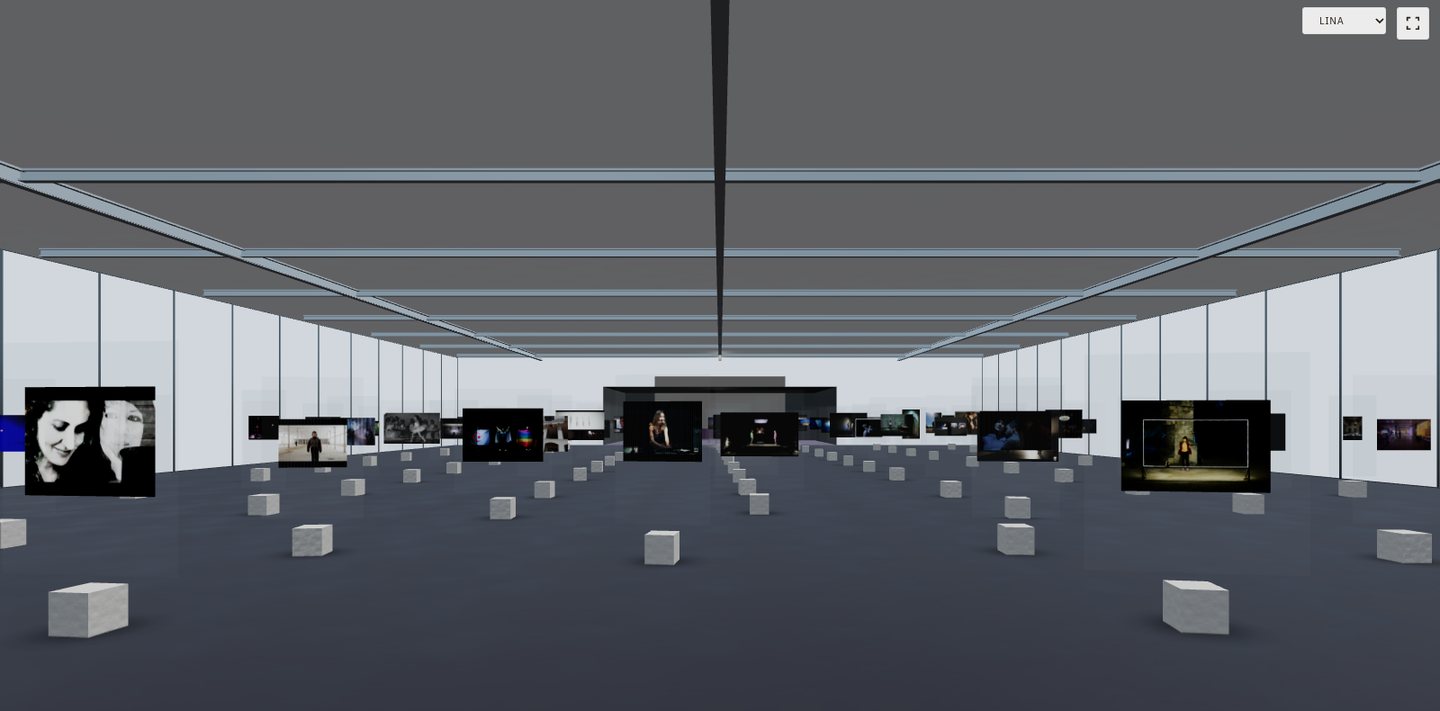 3D Gallery · laffontdelojo.fr · 177 projects since 1998
Apps
For iPhone, iPad and Mac, from the first mock-up to release.
LUCIDA · TAPEDECK · OBSCUROStage tools
Video and sound control, capture, archiving: tools made for a show or a venue.
TOURING CONTROL ROOM · BASCULEWebsites
Sites for artists, projects and apps, three-dimensional galleries, a back office made for the site.
LAFFONTDELOJO.FR · THIRDMACHINE.STUDIO · TAPEDECK.PROGraphic design
Identities, logos, app icons, interfaces and documents.
THIRD MACHINE STUDIO · LUCIDA, TAPEDECK, OBSCURO ICONS3D Gallery
An artist's whole body of work hung in an exhibition hall you visit from your browser.
- The hang · the website's 177 projects, since 1998, each on its own wall.
- The visit · drag to look around, scroll or use the arrow keys to move; three viewpoints in one gesture: the entrance, the centre, the cinema room.
- The record · each work opens its page, floating in the hall; in full screen, the visit becomes a projection.
View from the entrance
Catalogus
A portfolio built from the website's project pages, ready to attach to an application, in a few minutes.
- Language · six languages; project texts come straight from the website.
- Cover · title, image, credits.
- Texts · practice, biography, career, research, taken from the website's pages and editable.
- Selection · tick the projects, choose a template for each page: image and text, two images, mosaic, full bleed, long text.
- Export · page-by-page preview, then a high-resolution PDF or an editable PowerPoint.
Designed for answering calls for projects, it currently runs on the studio's own machine. It is being considered as an app for anyone who keeps a website of their work: fill in the boxes, build your own menu, layout and typefaces, keep several versions, export as a PDF or publish a website.
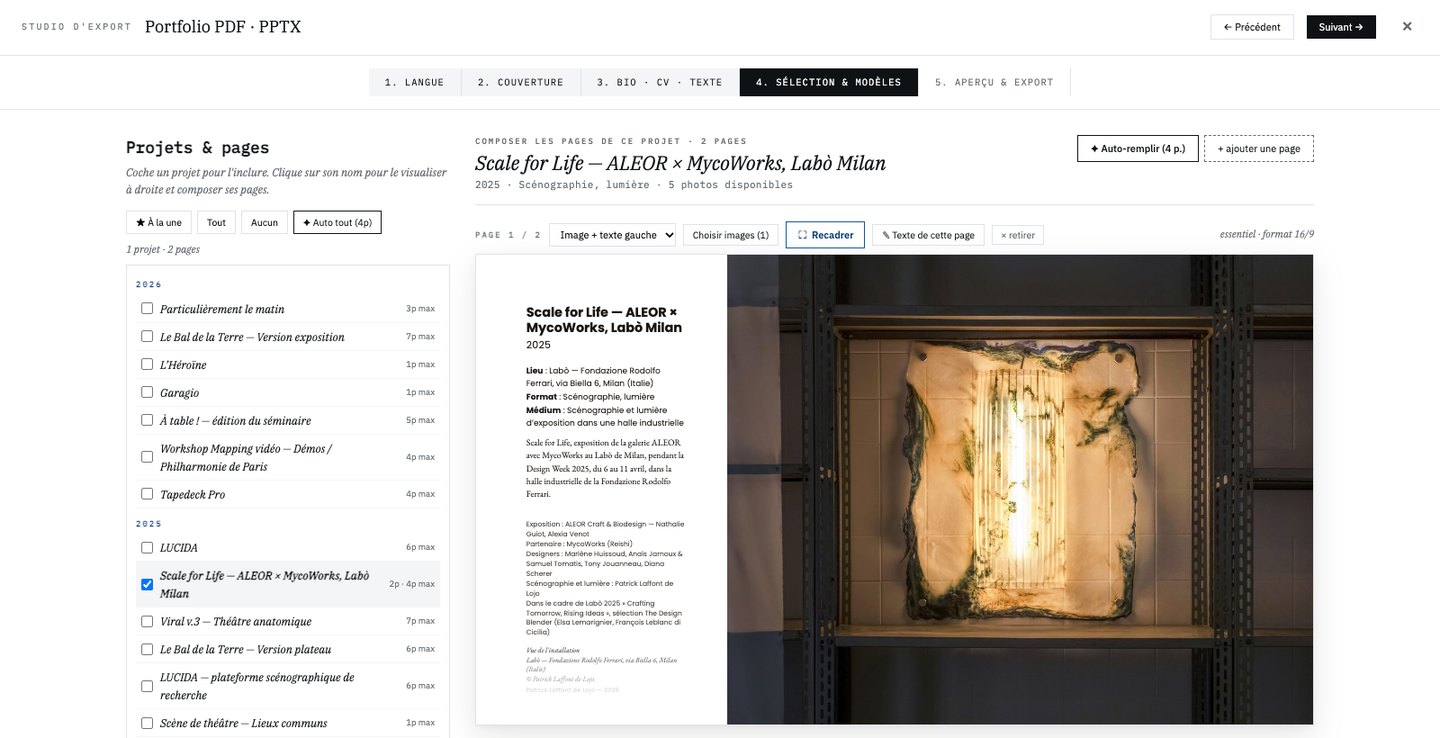 Step 4 · selection and page templates
The map
The works placed on a map, sorted by family.
The timeline calendar
Past and upcoming dates, unrolled like a film strip.
The back office
An editing tool made for this website: project pages, images, texts and translations, without a content management system.
An app, a tool, a website, an identity: from the first mock-up to going live, for the web, the Mac and the iPhone.